




Simple Oscilloscope by using Arduino
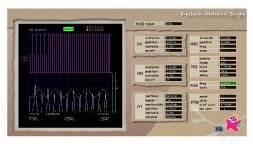
We made Simple Oscilloscope by using Arduino and PC. Let’s enjoy electronics life with Kyutech Arduino Scope. It is very easy. Just prepare Arduino, resistors and capacitors, and download softwares of Arduino and PC, you can enjoy! Processing is used for user-interface program for PC.
Operation Guide(PDF version)
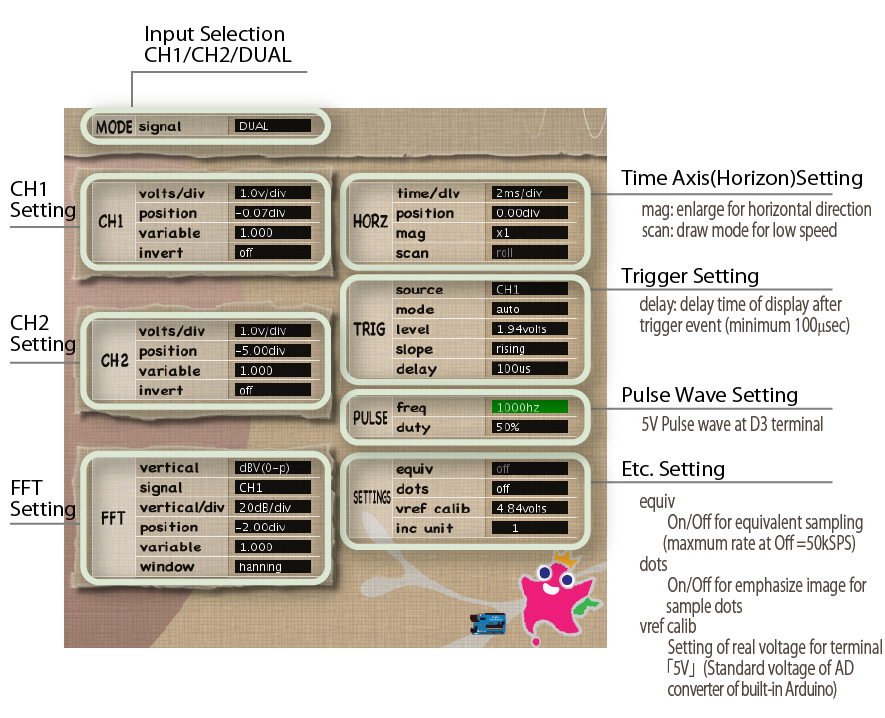
Setting panel
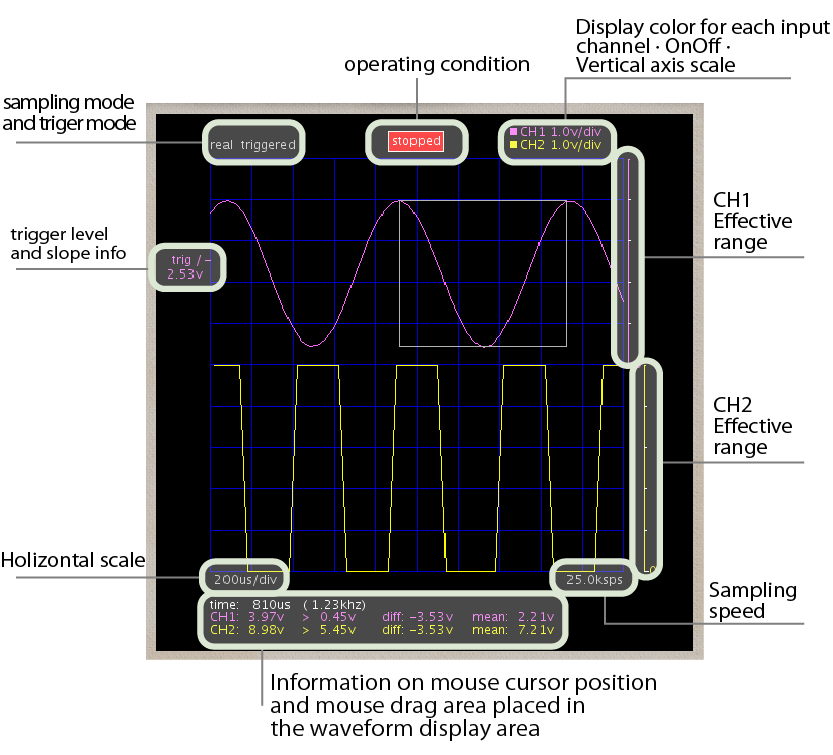
Wave display panel
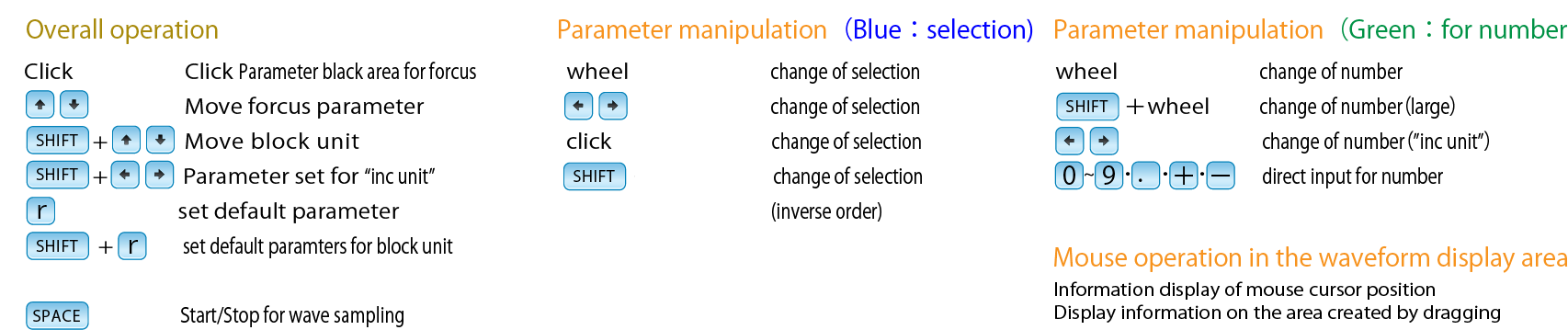
Operation panel
Circuit for Arduino
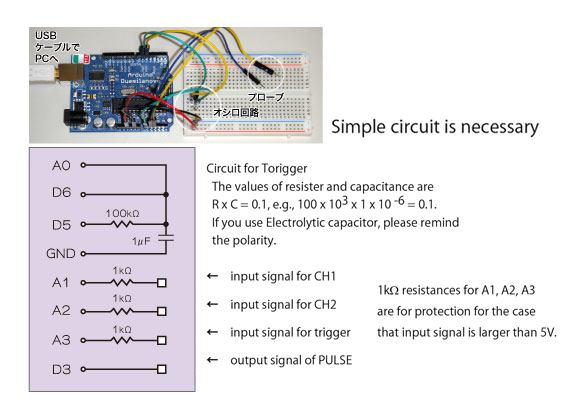
Specifications
| Real time sampling rate: | 50 k sample per second (non-DUAL mode) |
| Equivalent time sampling rate: | 1M sample per second (non-DUAL mode) |
| Chanel: | CH1/CH2 |
| Trigger: | CH1/CH2/EXT Rising edge/Falling edge AUTO/NORMAL/SINGLE |
| Input signal: | 0 – 5 V DC |
| Time axis: | 1micro sec/div – 5 sec/div |
| Etc.: | FFT function Generation of Rectangular wave |
| Support Arduino: | Arduino with ATmega328 (5V, 16MHz) e.g. Uno/ Duemilanove/ Nano etc. |
Download and running procedure
- Download the archive. Extract it and get programs for Arduino and Processing.
- Prepare electric circuit for Arduino.
- Connect PC and Arduino by USB cable.
- Upload sketch(program) to Arduino.
- Run Processing program.
- Have a fun!!
Download the archive here

Release Notes
| v0.75 | Mar 06, 2023 | adapted to fit Processing-4.2 |
| v0.74 | Oct 28, 2021 | adapted to Processing-4.0b2 |
| v0.73 | Apr 10, 2019 | adapted to Arduino-1.8.9 |
| v0.72 | Mar 20, 2016 | adapted to Arduino-1.6.8 |
| v0.70 | Oct 07, 2015 | adapted to Processing-3.0 |
| new features: ac/dc coupling ui, screen capture | ||
| some improvements and bug fixes | ||
| v0.52 | Feb 22, 2013 | to fit Processing-2.0b7 |
| v0.51 | Oct 29, 2012 | bugfix |
| v0.50 | Mar 20, 2012 | 1st release |